

Introduction
An Excel based template spreadsheet has been designed to help collect information for the use in the design of the intercom system for your event. The information will assist prep staff preparing the system during prep. You can download a copy of the Excel spreadsheet using this link
Channels and devices
Some data is included as an example.
Clear this first, then list the names of the channels you wish to have in your system.
Do the same with Devices and Headsets.
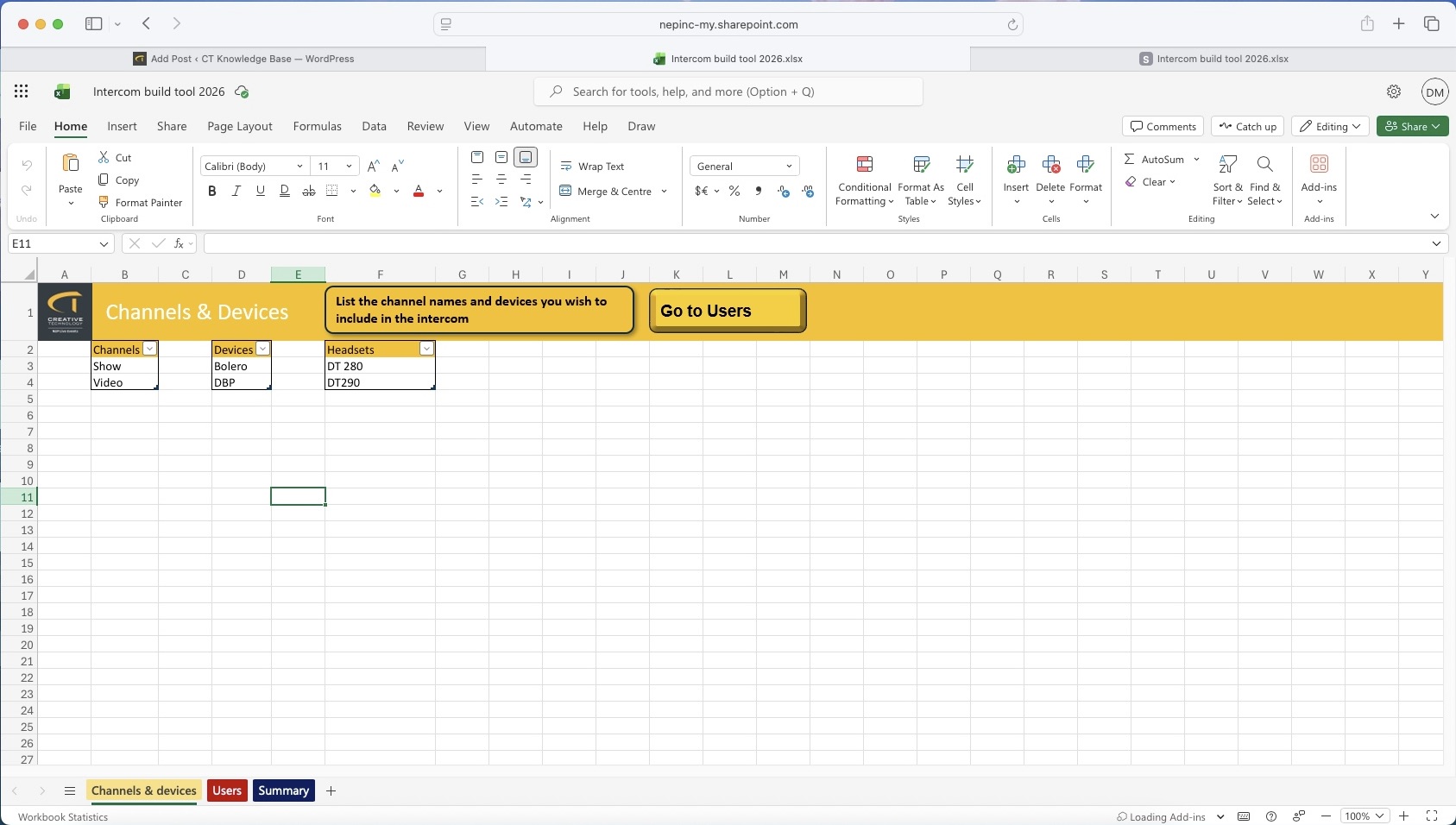
Now go to the Users sheet.
Users Sheet
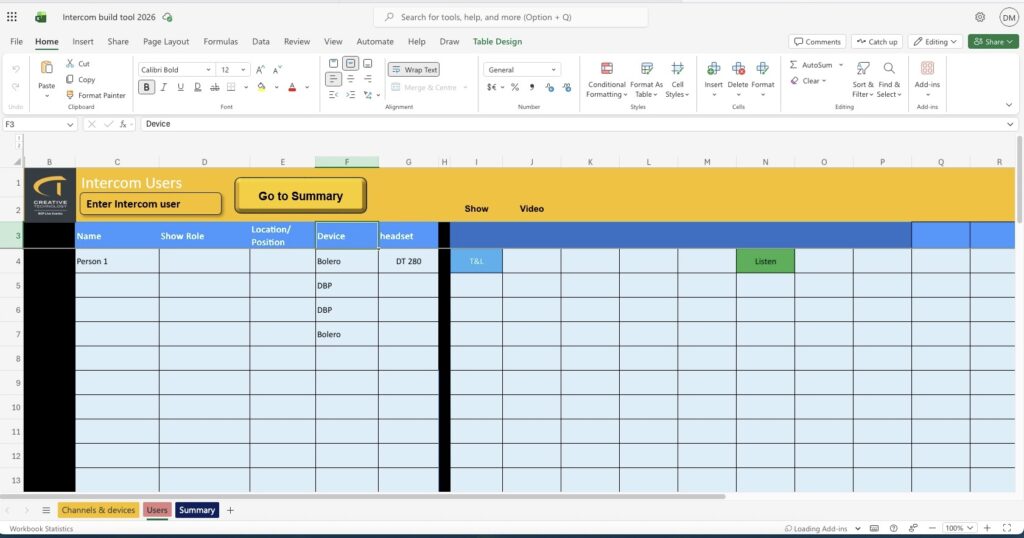
Fill in as much information as possible in the Name, Show Role and Location fields shown in Figure 2.
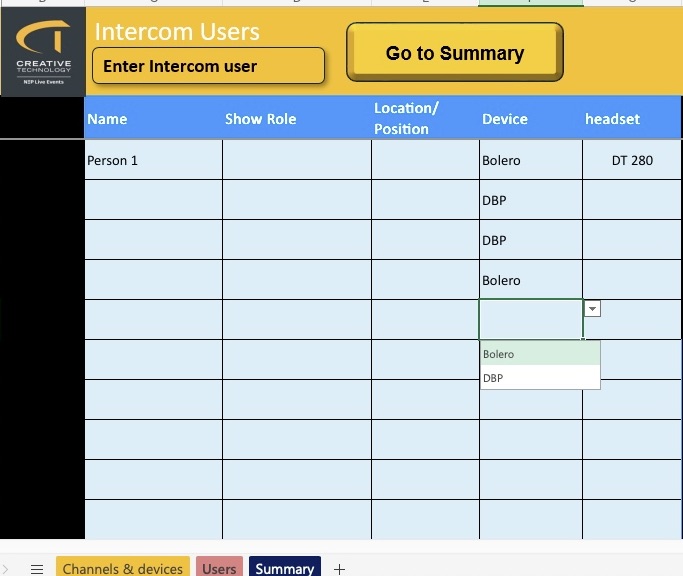
Select a device and headset from the dropdown list, shown in Figure 3.
Note that the lists will only contain the items you specified in the channels and devices sheet.
The channels you named will have spilled across this sheet as column headings.
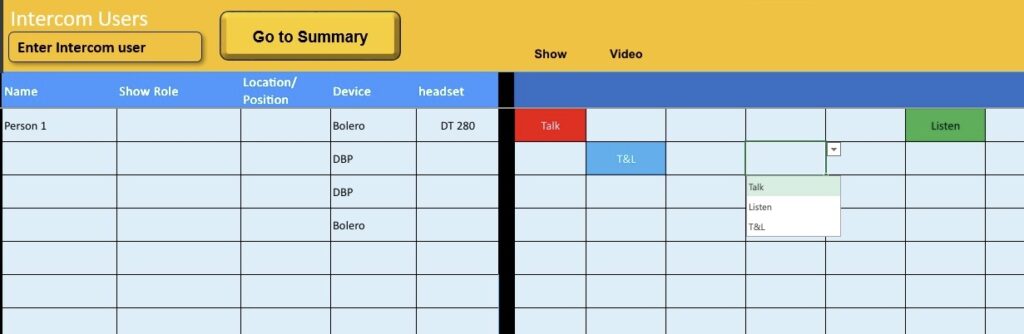
Select the Talk, Listen or Talk and Listen designation for any channels a user has access to, as shown in Figure 4.
Conditional formatting will colour code the selection.
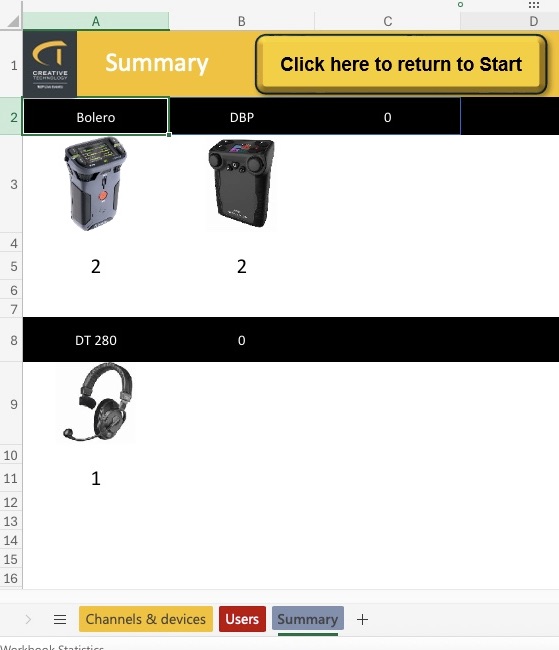
Summary Sheet
The summary sheet will display a summary of the quantities of kit selected as shown in Figure 5.
Once completed you can return to Spreadsheet to a member of Integrated Networks staff.
If you have any comments or suggestions about the intercom build tool, please contact dmcintosh@ct-group.com.
Leave a Reply
You must be logged in to post a comment.