

The following quick guide explains the features on the Unity Intercom app
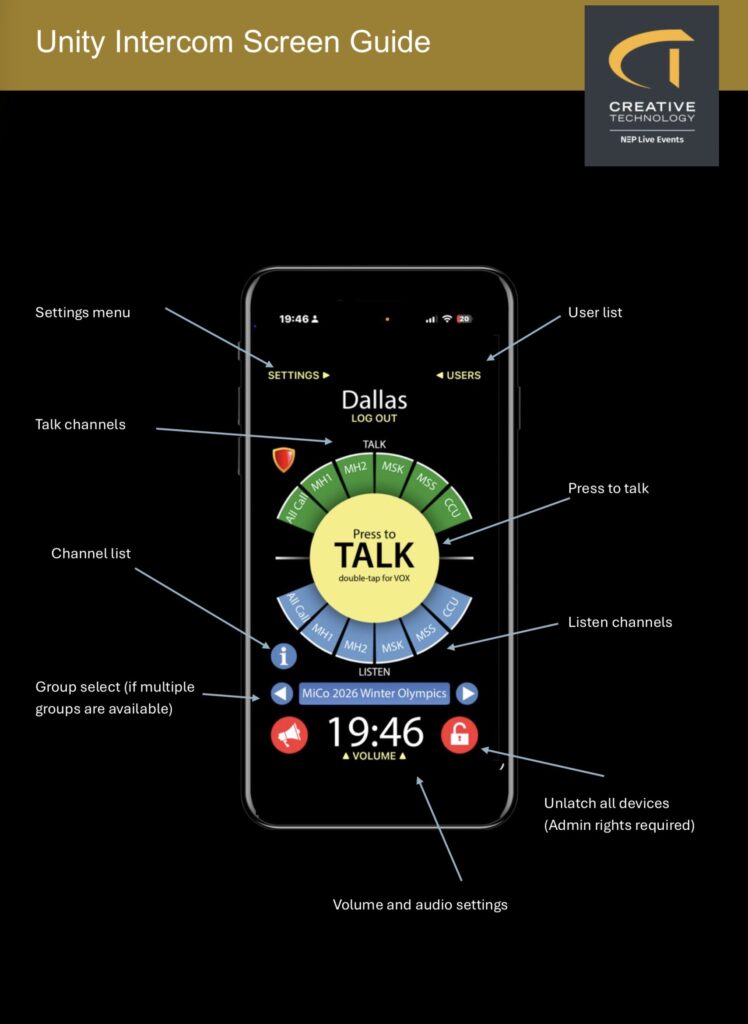
Interface Overview
- Green segments (top): Talk channels
- Blue segments (bottom): Listen channels
- Centre circle: Press-to-talk button
Operation
- Tap channels to activate; illuminated segments indicate active status.
- Press the circle to transmit to selected talk channels.
- Yellow: Idle
- Red: Transmitting
- Double-tap: Latch mode (“VOX” displayed)
Leave a Reply
You must be logged in to post a comment.