

Background
Security improvements were implemented in Bolero firmware v3.5 and remain active in later firmware releases.
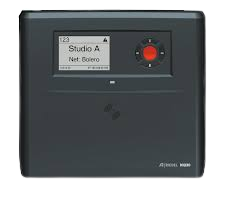
Significant changes
Admin Password
In addition to the 4-digit Admin PIN, an alphanumeric password, at least eight characters long, is needed to access settings in the Bolero web interface.
This password is defined by the user when a new network space is created.
An admin PIN is still used for the admin functionality on the Beltpacks.
Unless instructed otherwise, Bolero networks will use the password Creat1ve and an admin PIN of 0000.
The admin PIN should not be changed under any circumstances. Once changed, if we are unaware of the PIN, we require Riedel to remotely reset each antenna at significant cost.
Entering a wrong password
Entering a wrong Web Interface password five times will block the originating IP address. i.e. that computer will no longer be able to access the Network settings.
The Web Interface can still be accessed by using e.g. a different PC.
All blocked IP addresses will be listed and can be individually unblocked in the Cyber Security – Access Control section of the System Logs tab.
The list of blocked IP addresses is also cleared when the whole Network Space is rebooted.
Managing the changes
Can PMs and AMs please ensure that any technicians or engineers who will be managing Bolero systems onsite are aware of these changes, and of the standard passwords that we use. If you have any questions about these changes or any elements of the comms you are using, please contact Dallas. dmcintosh@ct-group.com
Leave a Reply
You must be logged in to post a comment.