
Tag: RTS
-

Re-sizing ODIN following a port upgrade
ODIN will generate error messages if the licenced number of ports does not match the software configuration. To re-size the intercom, follow this procedure in AZ Edit. Enable re-sizing options Navigate to Options> Preferences and ensure the boxes are checked for: Click Apply, then ok and send the change to the intercom. Access the intercom…
-

Eliminating Background Noise on RTS Party Lines
Overview When party lines include audio sources other than RTS keypanels, background noisemay be present on the keypanels because the audio is continuously active.This background noise can be mitigated by enabling VOX (Voice‑Operated Exchange)on the associated ports and leveraging a keypanel auto‑talk function.This document outlines the recommended configuration steps within AZedit to reduce oreliminate background…
-
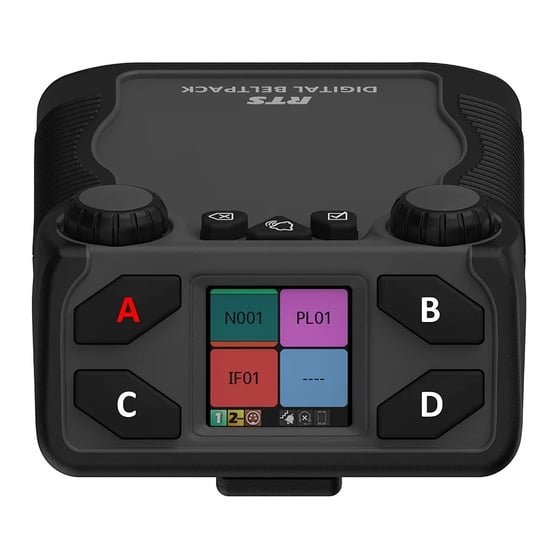
Assigning Keys on a RTS Digital Beltpack (DBP)
Digital beltpacks from RTS can be configured using the software packages IP Edit, AZ Edit and Neo. There are some functions that the user can configure from the device itself, providing the device has not been restricted in the software application. Changing the volume of a DBP channel The left encoder controls channels A and…
-
Changing the Operating mode of an RTS DBP
RTS Digital Beltpacks (DBP) with firmware version v 2.0.0 can now be toggled between OMNEO and RVON modes, without the need to re-flash firmware. RVON is RTS Intercom’s proprietary Voice Over Internet Protocol (VOIP), allowing devices to be deployed across a wide area network, including the internet. DBP controls The controls for the DBP are…
-

RTS Call Indicators
We have produced a signalling beacon to provide a visual alert of incoming calls on RTS ODIN and OMS intercom systems. These are useful in areas of high ambient noise, or when the Keypanel speaker cannot be used. The device consists of a power supply and relay, housed in a 3-D printed enclosure with top-mounted…
-

ODIN and OMS Intercom Functions
Introduction ODIN is a matrix intercom solution, with options to license up to 128 ports per unit. The intercom can be scaled up by connecting up to a maximum of eight ODINs. This achieves a maximum of 1024 ports. ODIN is suited to large, complex intercom configurations. OMNEO Main Station (OMS) is a digital partyline…
-

OMNEO Main Station – OMS
OMNEO Main Station (OMS) is a digital partyline Intercom solution, capable of the many applications required on events. OMS is similar to ODIN, which is a matrix intercom system, but has some features that are different and some limitations. What are the capabilities of OMS? OMS comes in various formats, which are determined by the…
-
Glensound Silver COIN-4016 Commentary panel
The Glensound Silver COIN 4016 commentator panel is a dual commentator and intercom panel for use with RTS intercom systems such as ODIN and OMS. The design is based on the RTS DKP-4016 16 key desktop panel, and it can be used standalone or integrated with a comms matrix. The panel uses OMNEO technology and…
-

Using the ISO Function in AZ Edit.
Using the ISO Function in AZ Edit. Most often used for cameras running from a CCU, the ISO function in AZ Edit is a useful tool that can be applied to any ports that are members of a partyline.
-
Firmware Updating RTS Digital Beltpacks
Use the following instructions to update the firmware on the RTS Digital Beltpacks.
-
Using 2 RTS panels with 1 Headset
Following a request that came from site, this is a good example of the functionality of the RTS OMNEO panels. An intercom user was using two KP-5032 panels and wanted access to 64 keys. Using shift pages was not acceptable to them, as they needed all keys to be displayed at once. It is possible to…
-
RTS Keypanel Default Configurations
RTS Keypanels can be configured from AZ edit or from the keypanel menu.