
Tag: RTS
-

Re-sizing ODIN following a port upgrade
ODIN will generate error messages if the licenced number of ports does not match the software configuration. To re-size the intercom, follow this procedure in AZ Edit. Enable re-sizing options […]
-

Eliminating Background Noise on RTS Party Lines
Overview When party lines include audio sources other than RTS keypanels, background noisemay be present on the keypanels because the audio is continuously active.This background noise can be mitigated by […]
-
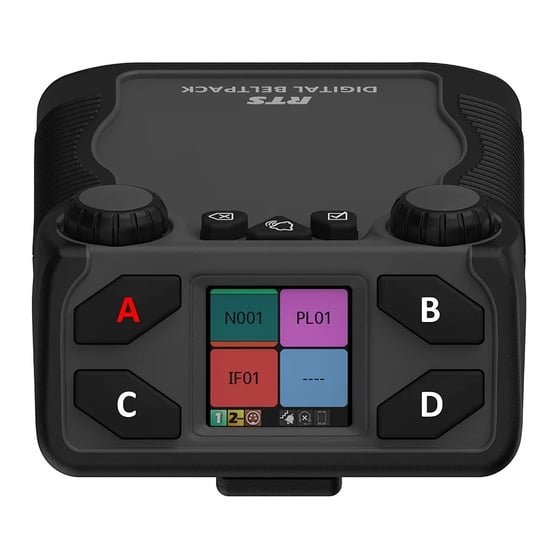
Assigning Keys on a RTS Digital Beltpack (DBP)
Digital beltpacks from RTS can be configured using the software packages IP Edit, AZ Edit and Neo. There are some functions that the user can configure from the device itself, […]
-
Changing the Operating mode of an RTS DBP
RTS Digital Beltpacks (DBP) with firmware version v 2.0.0 can now be toggled between OMNEO and RVON modes, without the need to re-flash firmware. RVON is RTS Intercom’s proprietary Voice […]
-

RTS Call Indicators
We have produced a signalling beacon to provide a visual alert of incoming calls on RTS ODIN and OMS intercom systems. These are useful in areas of high ambient noise, […]
-

ODIN and OMS Intercom Functions
Introduction ODIN is a matrix intercom solution, with options to license up to 128 ports per unit. The intercom can be scaled up by connecting up to a maximum of […]
-

OMNEO Main Station – OMS
OMNEO Main Station (OMS) is a digital partyline Intercom solution, capable of the many applications required on events. OMS is similar to ODIN, which is a matrix intercom system, but […]
-

Glensound Silver COIN-4016 Commentary panel
The Glensound Silver COIN 4016 commentator panel is a dual commentator and intercom panel for use with RTS intercom systems such as ODIN and OMS. The design is based on […]
-

Using the ISO Function in AZ Edit.
Using the ISO Function in AZ Edit. Most often used for cameras running from a CCU, the ISO function in AZ Edit is a useful tool that can be applied […]
-
Firmware Updating RTS Digital Beltpacks
Use the following instructions to update the firmware on the RTS Digital Beltpacks.
-
Using 2 RTS panels with 1 Headset
Following a request that came from site, this is a good example of the functionality of the RTS OMNEO panels. An intercom user was using two KP-5032 panels and wanted […]
-
RTS Keypanel Default Configurations
RTS Keypanels can be configured from AZ edit or from the keypanel menu.