
Tag: Digital partyline
-
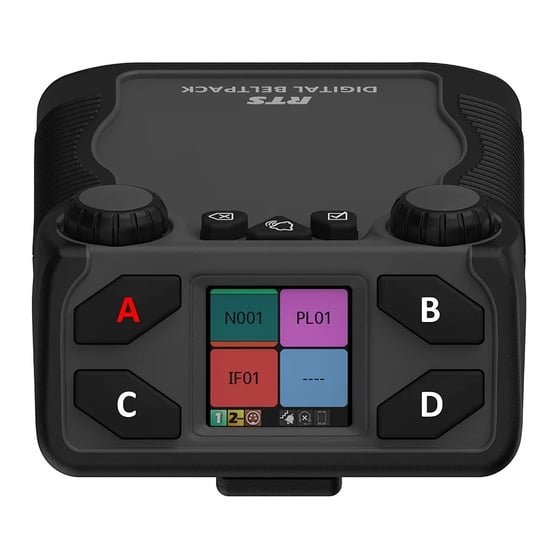
Assigning Keys on a RTS Digital Beltpack (DBP)
Digital beltpacks from RTS can be configured using the software packages IP Edit, AZ Edit and Neo. There are some functions that the user can configure from the device itself, providing the device has not been restricted in the software application. Changing the volume of a DBP channel The left encoder controls channels A and…
-
Changing the Operating mode of an RTS DBP
RTS Digital Beltpacks (DBP) with firmware version v 2.0.0 can now be toggled between OMNEO and RVON modes, without the need to re-flash firmware. RVON is RTS Intercom’s proprietary Voice Over Internet Protocol (VOIP), allowing devices to be deployed across a wide area network, including the internet. DBP controls The controls for the DBP are…
-

OMNEO Main Station – OMS
OMNEO Main Station (OMS) is a digital partyline Intercom solution, capable of the many applications required on events. OMS is similar to ODIN, which is a matrix intercom system, but has some features that are different and some limitations. What are the capabilities of OMS? OMS comes in various formats, which are determined by the…
-

Riedel Performer AAS ( Audio Assignment Software.)
The following guide explains how to interface Riedel Performer (C44+) and Bolero (NSA) channels using the AAS software. Assigning channels Decide the names of each channel. In this example there are 5 channels to be shared (interfaced) between the wired and wireless systems. We will refer to these as 4-Wires, as listed below. 4-Wire Channels…