
Author: Joe Hicks
-
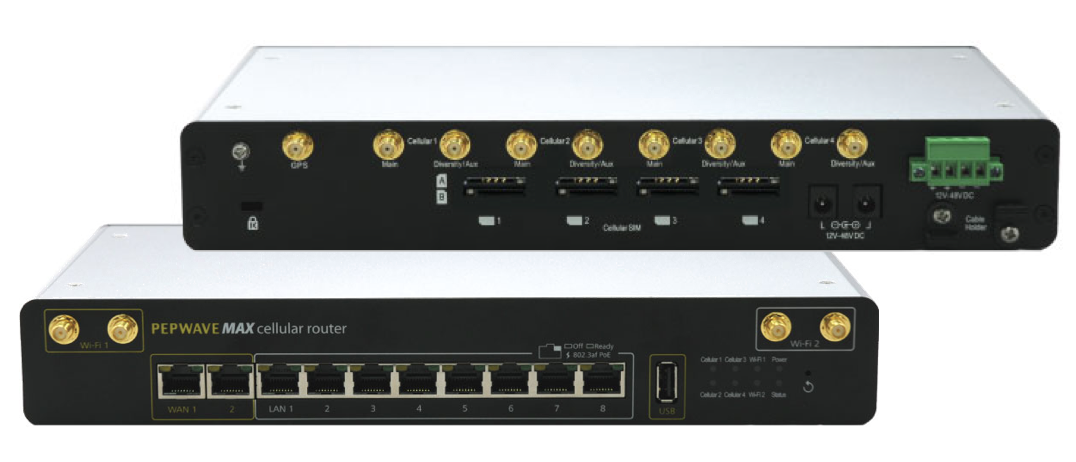
How To Check Internet Connectivity on the Pepwave MAX-HD4
The Pepwave MAX-HD4 is a multi-WAN router designed to proved internet connection on remote or mobile sites. It can be populated with up to four SIM cards, two cabled WAN connections and WiFi and can be configured to fail over between these connections to provide internet as reliably as possible. CT have a central portal…
-

How To Use the CT Encrypted USB Drives
CT are using the U-Disk EP-KP001 encrypted USB drive to store and transport sensitive client data. The drives are AES-256 hardware encrypted and ruggedised to withstand damage on site.
-
SFP Cheat Sheet
Not all SFPs are the same as one another, and some equipment requires specific SFPs to work.
-
Nimbra 680 Default IP and password
The Nimbra 680 is the standard IP transport system used by NEP Connect to send video and IP over the AnyLive network
-
Resetting Redundant Riedel Artist CPU Cards
When Artist CPU cards are used as a redundant pair, the card in slot A applies settings to the card in slot B which makes it difficult to reset as it constantly tries to take over the frame if the cards are moved around. The process isn’t difficult but not following it mean you find…
-
Luminex 10-port Switch Fails to Power Bolero Antenna on PoE
Issue reported by Leigh Reeve, November 2019. Symptoms: Bolero antenna is not getting POE from the Luminex switch. No POE LED active on antenna and you are forced to use the PSU to power.
-
MediorNet Firmware and MediorWorks
Since the release of firmware 6.00.00 you have required an approved Riedel login to download firmware and software for Riedel products. The process of signing up and the account being approved can take some time, so we have saved the files here for easier access.
-
Setting the WAN IP of the UniFi Security Gateway
The UniFi system is a cloud managed service where all settings are controlled by the UniFi Controller. To access these settings all the Ubiquiti devices need access to the internet, meaning the Security Gateway must be online. Once it is online, all other devices will be able to contact the Controller
-
Makito X Factory Reset
The Makito X encoder and decoders can be factory reset if they’re inaccessible. To the left of the network port there is a hole for a reset button. Hold the button down until the status LED flashes red, then release.
-
CT Default Usernames, Passwords and Codes
CT use a standard set of credentials for their rental equipment to make use of the kit on site as easy as possible.
-
Bolero Beltpacks Won’t Always Detect the Type of Headset Connected
Bolero beltpacks should normally detect the type of headset and therefor mic connected however this sometimes isn’t the case. If the mic is quiet or isn’t functioning how you would expect you can set the type in the menu.
-
Managed SIM Card Settings and APN
The EE managed SIM cards in the rental stock require a static APN to be set for them to work. The APN is how the SIM cards handshakes with the cell towers. For normal SIM cards the APN will be set to ‘dynamic’ allowing the cell tower to handle the SIM however it wants to.…