

For devices that cannot be pinged to their IP address, please follow these steps to reflash their TF card program.
The re-flash process is as follows.
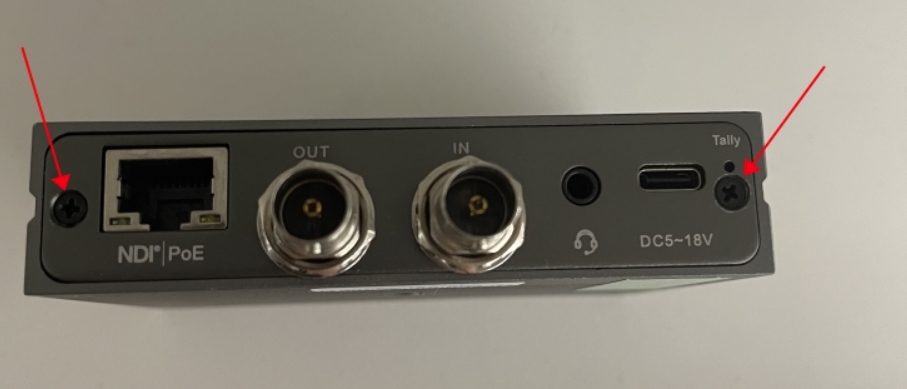
1. Remove the two screws of the sparkio housing as shown in the figure.
2. Find the TF memory card inside, press it and take it out
3. Prepare a TF card reader and insert the TF card
4. Insert the card reader into the Ubuntu system computer or virtual machine instead.
5. You can get all N4 reflash files from this link:
https://drive.google.com/file/d/1eJL1JOqJrViVY4rrx-qoE3AbV9bAnAvX/view?usp=sharing
6. Copy the folder to Ubuntu.
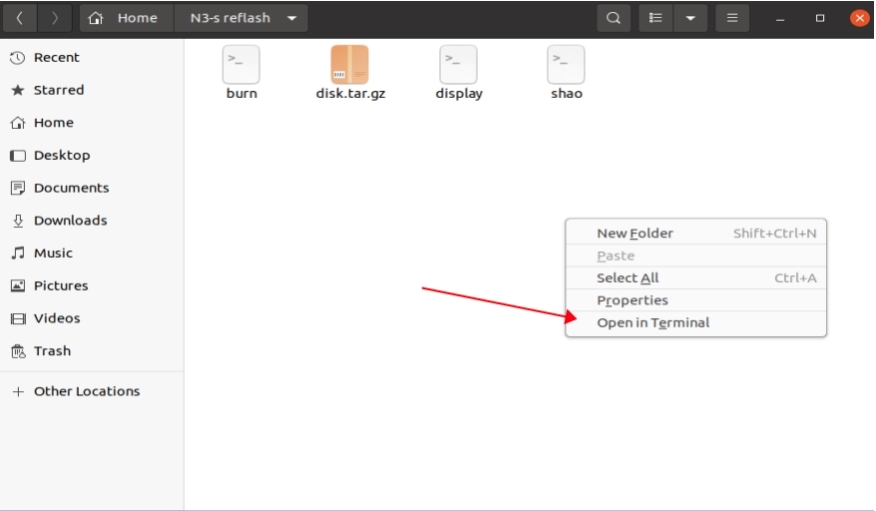
7. Open the folder in Ubuntu system, right-click the blank area, and click “Open in Terminal”.
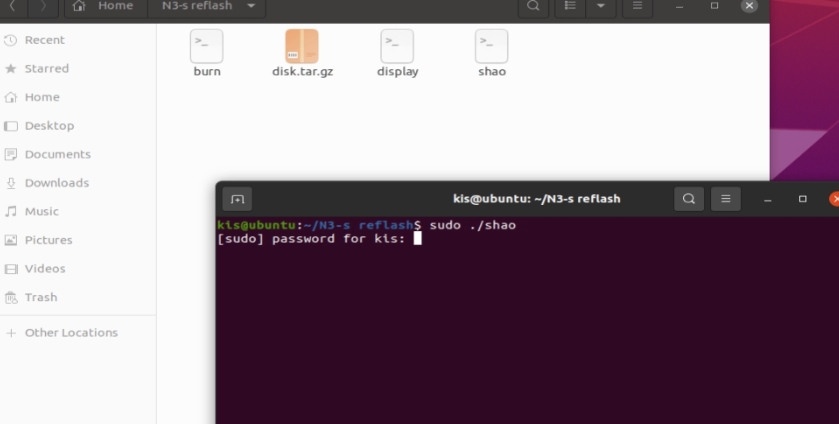
8. Run the command “sudo ./shao”.
Then enter your password to the Ubuntu system.
If this produces an error, you will need to run the “chmod +x” command for each file in the folder
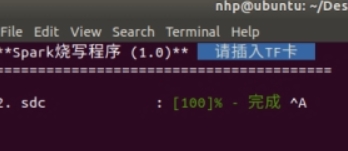
9. When the following “请插入TF卡” appears, insert the card reader with the TF card into the Ubuntu computer.
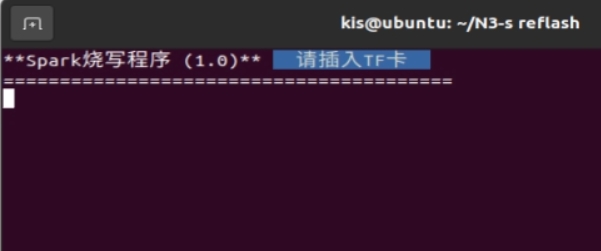
10. The reflash program will run automatically after you insert the card reader.
When 100% completion occurs, the reflash is complete.
11. Insert the TF card back into the N4, that is, all the reflash steps are completed.
Leave a Reply
You must be logged in to post a comment.