

In all versions of 15 and beyond BlackMagic have made a change to how the driver extensions work meaning your Decklink device will not appear in Mac OS until you follow these steps.
Do the following in this order.
- Remove old version of Desktop video via the uninstaller if pre v15 and restart when prompted
- Install new v15 (latest was 15.3.1 at time of print)
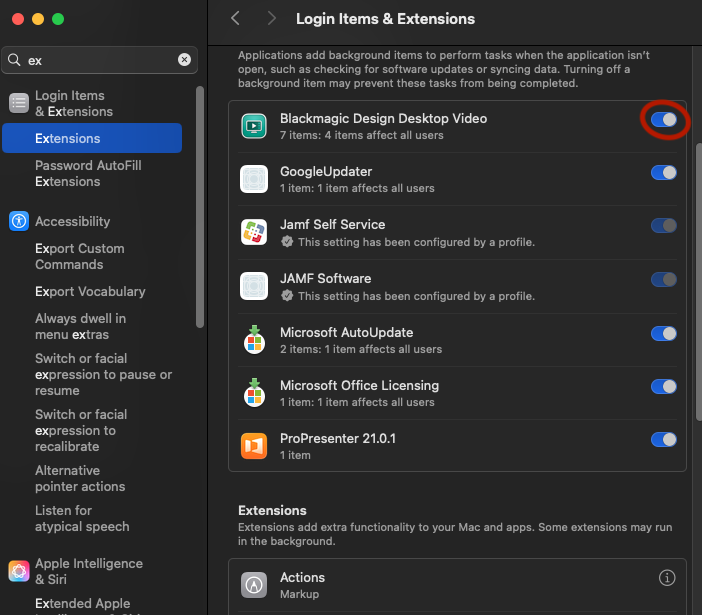
- Once installed open system settings and head over to extensions
- Ensure BM driver is enabled – See screenshot 1
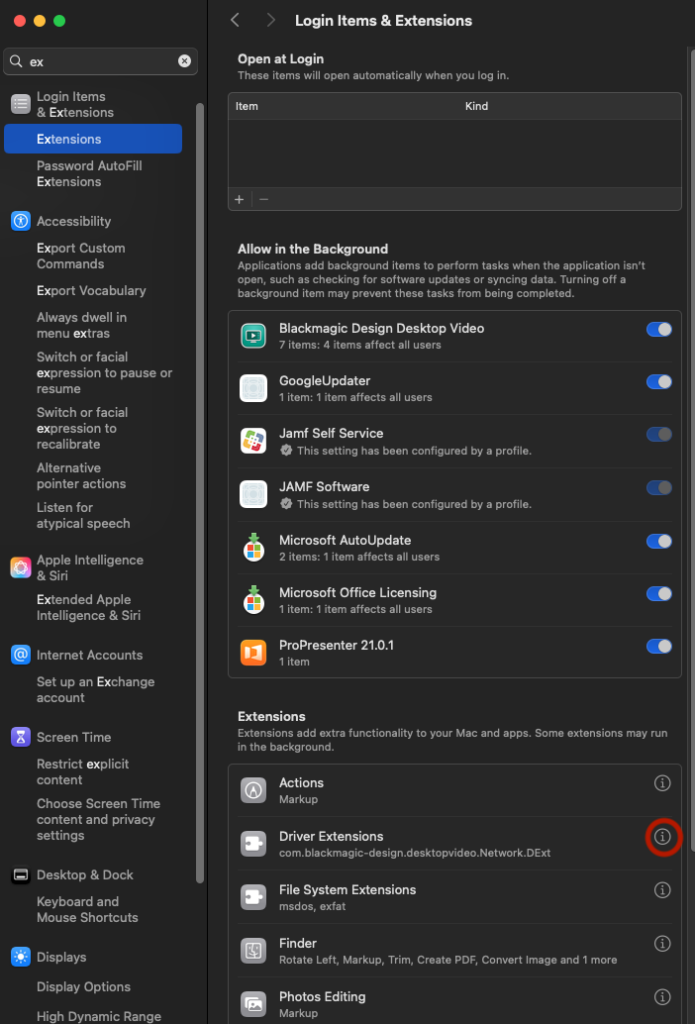
- Now open Driver Extensions and do the same – See screenshot 2
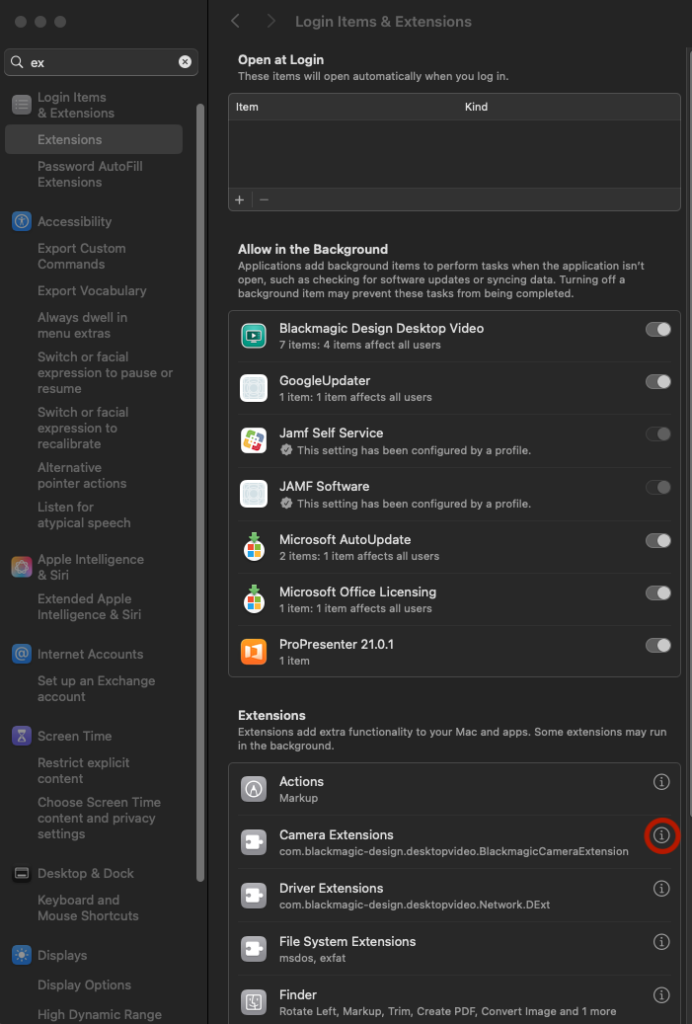
- Now head to the newly created Camera Extensions and enable – See screenshot 3
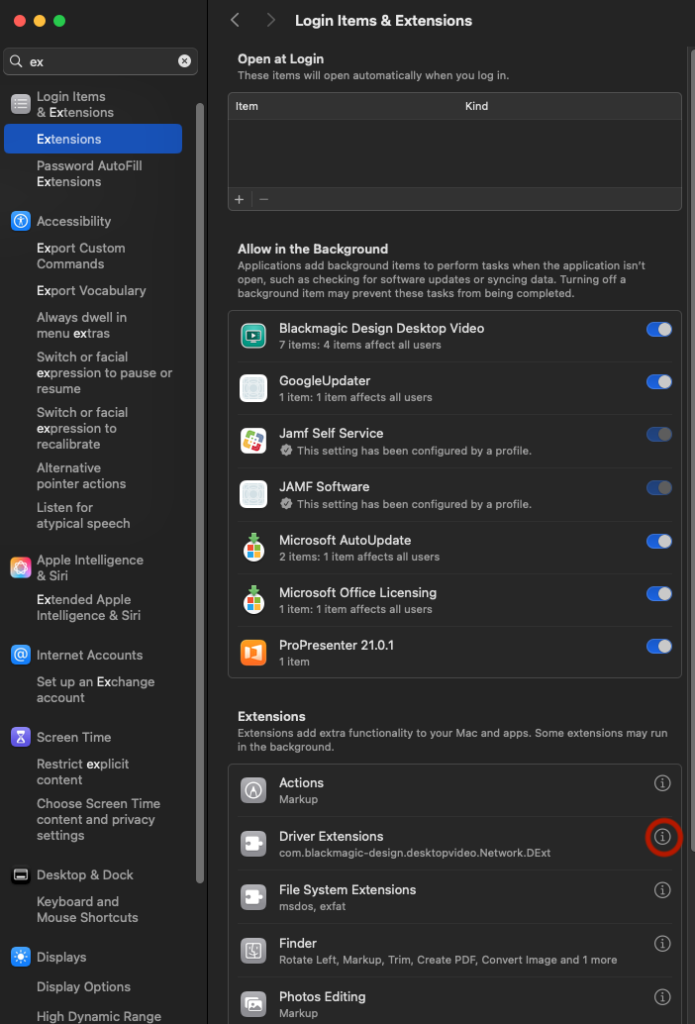
- Now head back to Driver Extensions and enable the other newly created driver – See screenshot 4
It may now pop up with a firmware flash requirement, if so proceed. When complete do a full power cycle then enjoy your now available Decklink Device.
Leave a Reply
You must be logged in to post a comment.